
OSU
Explore Columbus With COTA
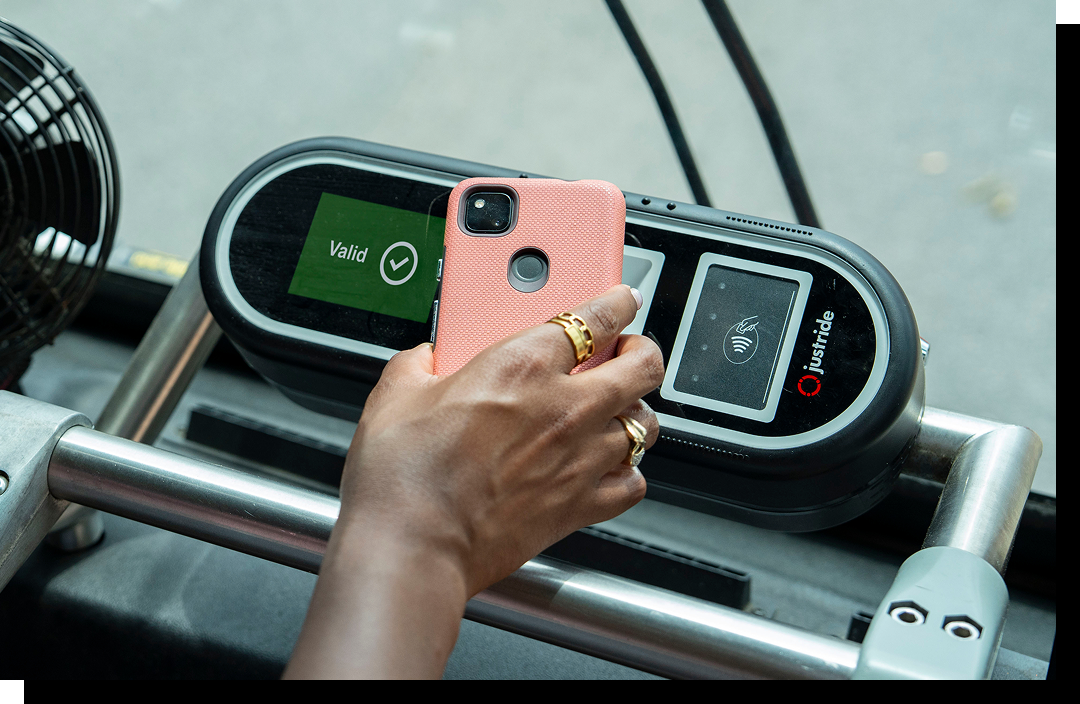
Your Ohio State app is your all-access pass to Columbus. Just scan your digital pass in the app when you board, and you’re on your way — no cost, no hassle. Whether you’re heading to an event, grabbing food or exploring the city, COTA is the way to get there.
You must be an Ohio State Columbus campus student who is currently enrolled in at least one in-person class on the Columbus campus for the current semester. In addition, you must have the COTA fee listed on your current statement of account.
For digital pass instructions, eligibility details and information for faculty and staff, visit Ohio State’s COTA page.
Beginning Jan. 6, 2027, swiping your physical BuckID will no longer be accepted as a way to ride COTA.
How to Ride COTA
Riding COTA is easy. Open the Ohio State app, scan your digital pass when you board and you’re on your way. Want to track your bus or plan a COTA trip? Use the Transit app for real-time COTA information.
Perks of Public Transit
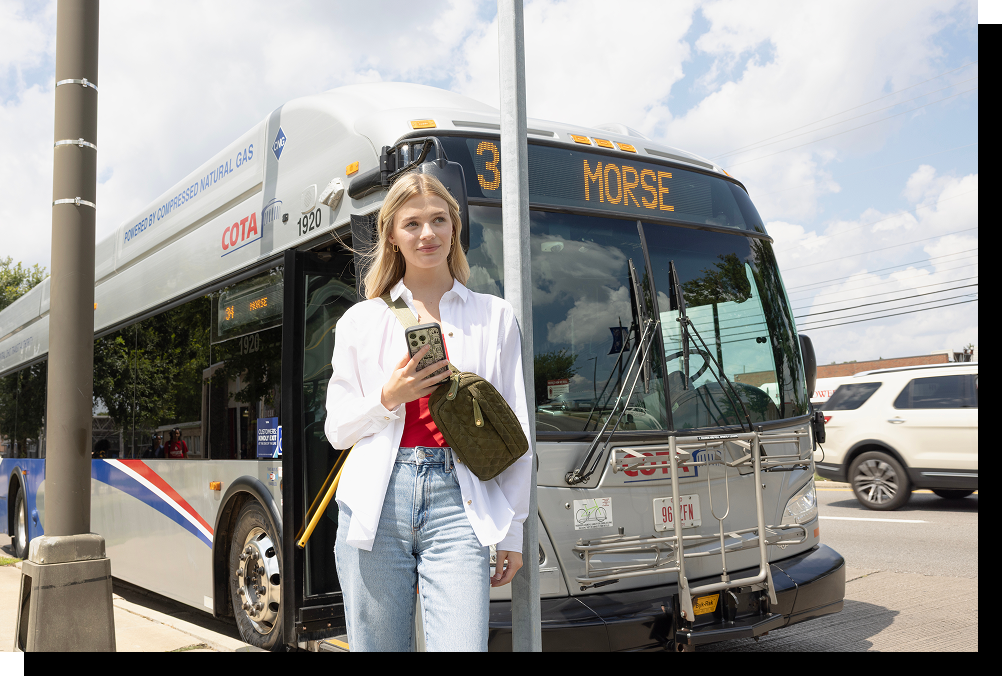
- Save Money: No need to pay for parking, gas or ride-shares.
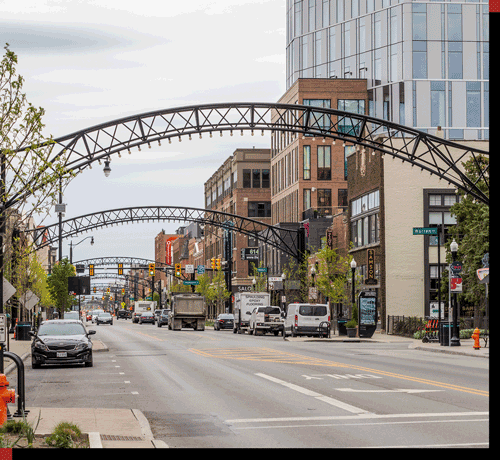
- Go Beyond Campus: Visit Short North, Downtown, Easton and more.
- Easy & Reliable: Scan your digital pass in the Ohio State app and go.
- Free Wi-Fi: Stay connected with free, 5G Wi-Fi.
- Sustainable Travel: Reduce your carbon footprint and help keep Columbus green.
Discover the Best of Columbus





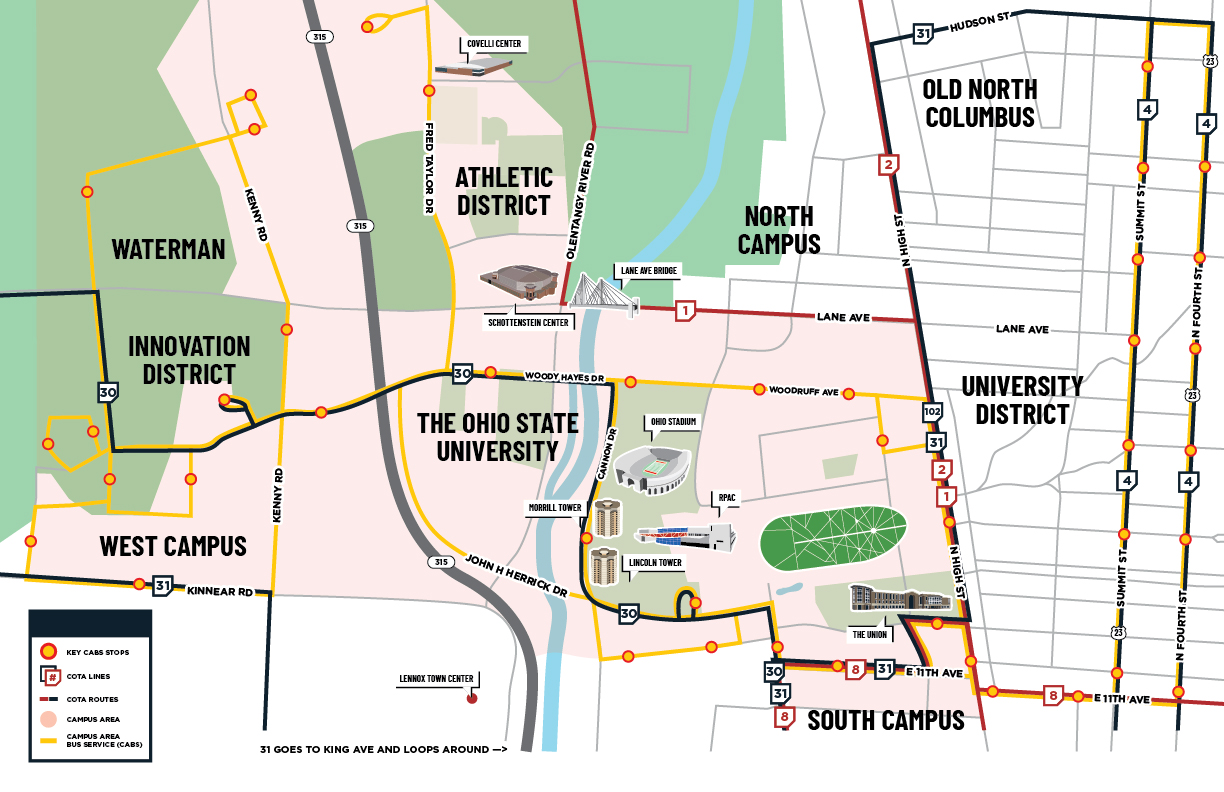
COTA on Campus
Moritz College of Law
Stop 1297 N. High/Chittenden
Lines: 1, 2, 8, 22 & 102
Stop 1188: N. High/Chittenden
Lines: 1, 2 & 102
Jesse Owens Recreation Center North
Stop 7538: W. Lane/Neil Ave.
Line: 1
Stop 7539: W. Lane/Neil Ave.
Line: 1
Varsity Club
Stop 7541: W. Lane/Tuttle
Line: 1
Stop 7542: W. Lane/Tuttle
Line: 1
Schottenstein Center
Stop 7545: W. Lane/Olentangy
Line: 1
Stop 3524: W. Lane/Olentangy
Line 1
Woody Hayes Athletic Center
Stop 6352: Olentangy/Argyll
Line: 1
Stop 6351: Olentangy/Argyll
Line 1
Chemical Abstracts Service (CAS)
Stop: 4350: Olentangy/Burnbrae
Line: 1
OSU Field Hockey/Tennis
Stop: 7547: Olentangy/Ackerman
Line: 1
Billy Ireland Cartoon Library & Museum
Stop 1190: N. High/15th
Lines: 1, 2 & 31
Weigel Hall
Stop 1295: N. High/15th
Lines: 1, 2 & 31
Newport Music Hall
Stop 1189: N. High/13th
Lines: 1, 2 & 31
Ohio Union
Stop 1296: N. High/13th
Lines: 1, 2 & 31
Buckeye Donuts
Stop 3957: N. High/18th
Lines: 1, 2, 31 & 102
Northwood High Building
Stop 1292: N. High/Northwood
Lines: 2 & 31
OSU School of Medicine
Stop 8166: Neil/W. 10th
Lines: 8, 22, 30 & 31
Siebert Tower
Stop 8163: W 11th/Worthington
Lines: 8, 22 & 31
Keith B. Key Center for Student Leadership and Service
Stop 3812: 12th/N. High
Lines: 8, 22 & 31
Stop 8165: 12th/College
Lines: 8, 22 & 31
The Ohio State University Wexner Medical Center
Stop 5795: Medical Center/Old Cannon
Lines: 22 & 31
Stop 6000: Medical Center/Old Cannon
Lines: 22 & 31
RPAC
Stop 5234: W. 9th/Medical Center
Lines: 22 & 31
Stop 9599: W. 9th/Medical Center
Lines: 22 & 31
Thompson Library
Stop 1296: N. High/13th
Lines: 1, 2 & 31
Ohio Stadium
Stop 7541: W. Lane/Tuttle
Line: 1
Stop 7542: W. Lane/Tuttle
Line: 1
FAQ
Will I still be able to use my BuckID to ride COTA?
During Autumn Semester 2026, riders can use either their physical BuckID or the digital COTA pass in the Ohio State app to ride COTA. Beginning January 6, 2027, physical BuckID swiping will no longer be accepted and riders must use the digital pass in the Ohio State app or an approved COTA smartcard.
How do I use the new digital COTA pass?
Open the Ohio State app, access your COTA pass and scan the pass when boarding. The Ohio State app is the primary way eligible students, faculty and staff will access their COTA transit benefit.
Can I add my COTA pass to Apple Wallet or Google Wallet?
No. The COTA pass cannot be added to Apple Wallet or Google Wallet. To ride, you must open and display the pass directly within the Ohio State app.
Can I use my mobile BuckID to ride COTA?
No. The mobile BuckID is not accepted for COTA boarding. Riders must use the dedicated digital COTA pass available in the Ohio State app.
What if I don’t have a smartphone or mobile device?
Students who do not have a compatible mobile device may obtain a COTA smartcard. Smartcards are available through the BuckID office and can be used instead of the digital pass.
Can I use my digital pass on multiple devices?
No. The digital COTA pass can only be active on one device at a time.
If you get a new phone or need to change devices, you’ll be prompted to transfer the pass to the new device. Riders receive three device-switch credits initially and one additional credit every six months. Once all available device-switch credits have been used, the pass cannot be moved to another device. Support options are available within the app for eligible device changes.
What if I get a new phone?
Simply sign in to the Ohio State app on your new device and follow the prompts to transfer your pass. Keep in mind that device transfers are limited and count toward your available device-switch credits.
Do I need to log in to the app every time I ride?
In most cases, riders can remain logged in to the Ohio State app after initial setup. If you’ve recently changed your password or signed out, you may need to log in again before accessing your pass.
What should I do if my phone battery dies?
Plan ahead and make sure your phone is charged before you travel. Additional guidance for riders experiencing technical issues will be provided by Ohio State and COTA. During the transition period, physical BuckIDs will continue to be available through 2027.
Why is Ohio State making this change?
Moving to a digital pass makes riding COTA more convenient and mobile-friendly. Your transit pass is available in the same Ohio State app you already use for campus resources, helping create a simpler, phone-first experience with one less card to carry.
Where can I learn more about using COTA with my Ohio State transit benefit?
Visit the Ohio State Transportation and Traffic Management website for eligibility information, setup instructions and the latest updates about the transition to digital passes.
Become a COTA Pro with Travel Training
Ready to master the art of riding COTA? Our Travel Trainers can show you the ropes!
Share Your COTA Journey With Us!
Want to show off your ride? We love seeing how you use COTA to get around Columbus! Follow us on social media and share your COTA moments.

 @COTAbus